
Car rental software with the accounting built in.
Find the right car in seconds, book it, check it out and back in, take deposits and bill insurers — and every dollar lands in your books automatically. Vehicle booking, fleet and accounting in one system.
- No card needed to start
- Month-to-month
- Cancel anytime
Your staff book, check out and check in. Customers can't book or pay online yet.
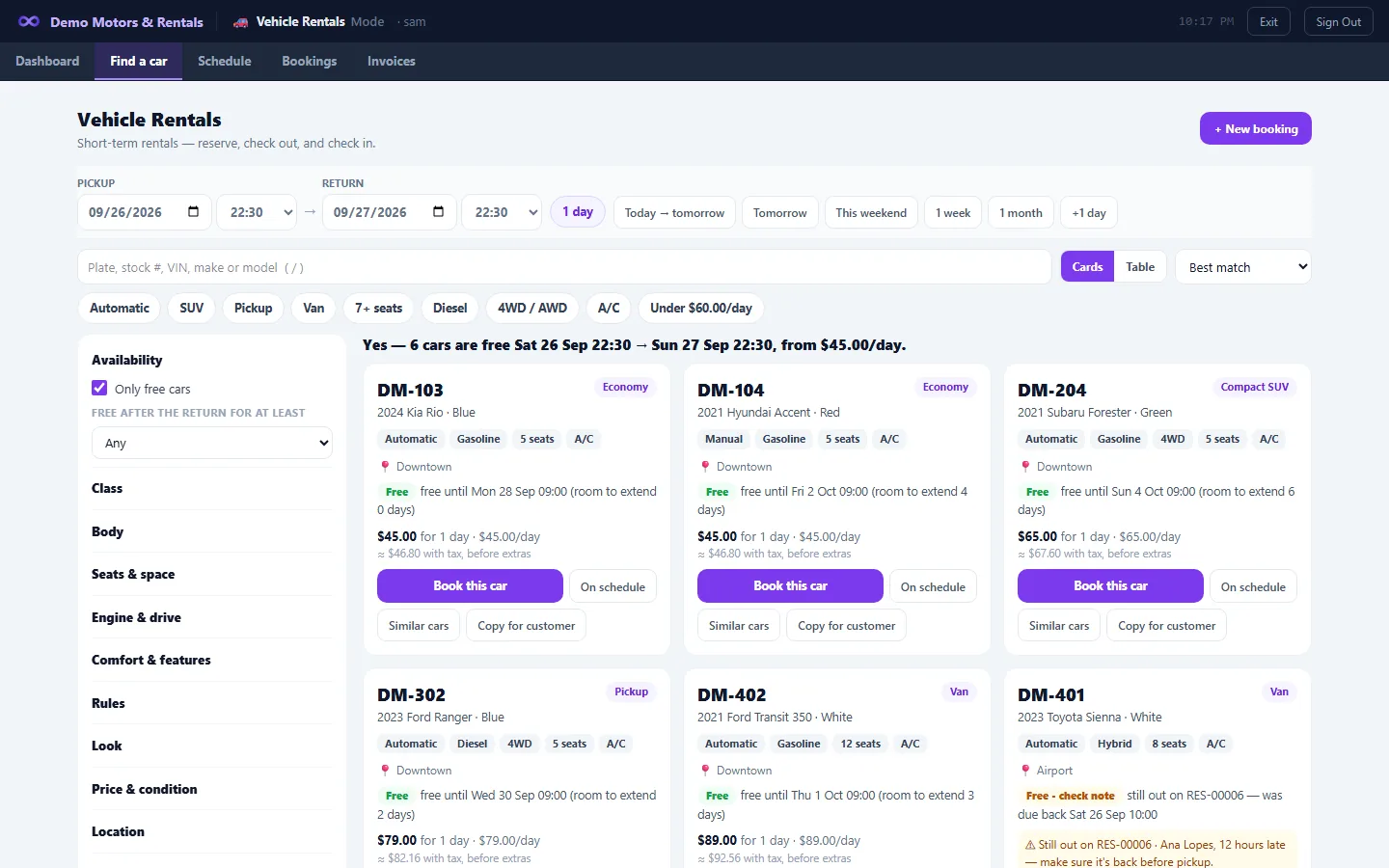
Find a car
- Search by dates first and get a one-line answer — for example, “Yes, 3 automatic SUVs are free Jun 3–7, from $65/day.” (illustrative)
- Filter by class, body, cab, seats, doors, fuel, transmission, 2WD/4WD, A/C, color, make, model, year, odometer, price and location.
- Search by plate, stock # or VIN.
- See why a car is busy and when it's next free, plus near-miss results.
- “Book this car.” One car, one renter, on every path — a car can't be double-booked without a manager's override.
Book it right
- Daily, weekly and monthly per-day rates, priced across the whole rental.
- A charges catalog (child seat per day, airport drop-off) with “Charge tax” on each charge.
- Tax-exempt renters; driver, flight and locations.
- Add a new customer from the booking form.
- Pay ahead with an Advance Payment Receipt.
Check out and check in
- Record fuel and odometer.
- Click to mark damage on a diagram for each body type.
- A printed agreement that includes the inspection diagram.
- Late returns are priced across the whole rental.
- Plain refund math at check-in — for example, “Return $72.00 deposit in cash.”
- Reverse a mistaken check-out.
Manage a rental in progress
- Extend or shorten; add a charge; take a payment; move the renter to another car mid-trip.
Deposits
- Collect a deposit, apply it to the balance, refund it with a receipt, or forfeit it; cancellation fees.
- A “Deposits to refund” tab.
- Deposits are held in a liability account until settled.
- A customer's store credit can pay a rental's bill.
Insurance replacement rentals
- Bill the insurer its share and the renter the deductible, as two invoices from one booking.
Your fleet
- A fleet details spreadsheet: paste from Excel, fill down. Price classes.
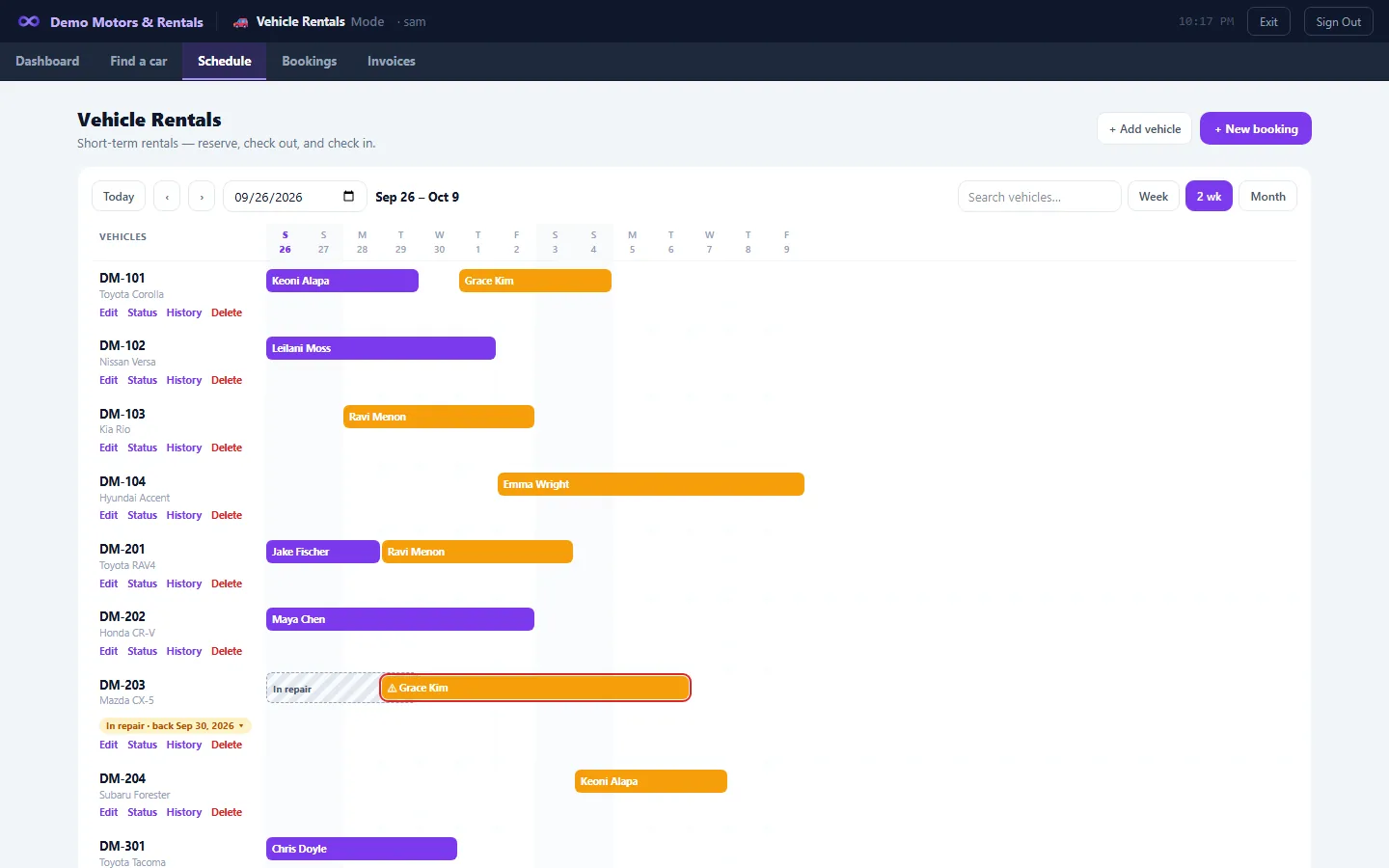
- Out-of-service statuses (In repair, Out of commission, Hold for sale) block bookings, and you can move a booking to another car.
- Turnaround time, late-car alerts, locations, miles or km, custom fields.
- Schedule timeline, and a Rentals Mode dashboard showing today's pickups and returns.
- Cashiers can run rentals from the POS.
The accounting is already done
- Rental income, taxes, deposits, advances and insurer receivables all post to the same double-entry books.
- Utilization, rental sales, payments and daily record reports.
- Sell a fleet car later: its cost moves from the fleet to sale inventory.
Not just cars
- The same booking engine rents equipment and other items by the day.
How Mobius compares
- Rental-only software for fleets of up to 25 vehicles typically lists at about $29 to $250 a month, sometimes plus a one-time setup fee (CarCEO, a rental-software vendor, July 2026).
- Mobius starts at $79/month on Starter, plus the Dealership App, where the rentals are, from $59/month — and it is also your POS, accounting and parts counter.
- If you only rent cars and need online booking today, a rental-only tool may suit you better. If you rent and also sell, service or run a store, Mobius replaces the rental app and everything around it.
Good to know
- No online self-booking or payment yet.
- Agreements are printed and signed on paper.
- No damage photos or telematics.
- Rentals need an internet connection.
Questions
Can customers book online?
Not yet. Bookings are made by your staff at the counter or by phone.
Do you handle security deposits?
Yes: collect, apply, refund with a receipt, or forfeit.
Weekly and monthly rates?
Yes. Daily, weekly and monthly per-day rates, priced across the whole rental.
Insurance replacement rentals?
Yes. The insurer and the renter are billed on separate invoices.
Can I stop a car that's in the shop from being booked?
Yes. Set it to In repair or Out of commission.
Does it do the accounting?
Yes. Every rental posts to the built-in double-entry ledger.
Trucks, vans and equipment?
Yes: classes, body and cab types for vehicles, plus an equipment rental type.
How much?
Rentals come with the Dealership App: $59/month for up to 15 rental vehicles or $99/month for unlimited rental vehicles. It goes on top of Starter ($79/month) or Business ($175/month), with unlimited users.
Run the whole business from one place.
From $79/month. POS and accounting in one. 30-day free trial, no card needed.
We can also customize Mobius for your business's needs. Contact us for a quote.