
Invoicing & customer accounts
Estimates, invoices and house accounts, on the same books as your register.
Quote the job, invoice it, take a deposit or a payment plan, and follow up with statements — with every balance visible at the counter.
- No card needed to start
- Month-to-month
- Cancel anytime
Quote to cash
- Estimates (print, duplicate, convert, void) → sales orders → invoices.
- Review & Send, with edit history after an invoice is sent.
- Per-line “Charge tax”.
- Vendor and manufacturer SKU columns, and document themes for your own look.
Get paid
- Online pay links by card or US bank transfer (ACH) through Stripe.
- Payment plans: deposit plus balance, installments or milestones.
- Optional card processing fee.
- Recurring invoices and payment links.
- Check # recorded; payment receipts can be reprinted.
House accounts
- Credit limits and net terms.
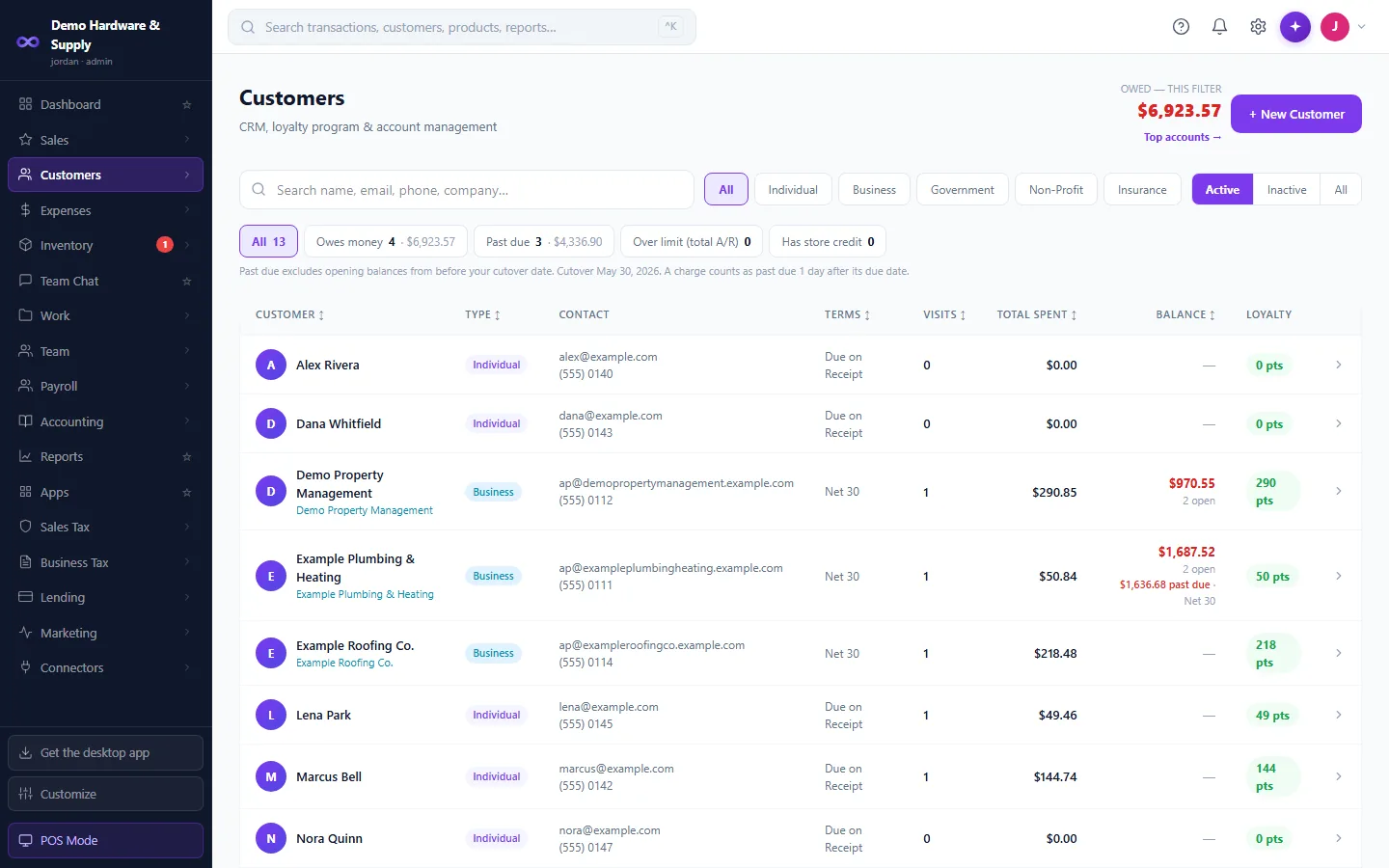
- Balance chips on the customer list: owes, past due, over limit.
- Statements shown to you before they're sent, and an aging report.
- Payment on account at the register.
- Store credit and overpayments held for the customer.
- Merge duplicate customers, with undo. Tax-exempt customers. An insurance company / payer customer type.
Credit memos
- Per-line tax, printed as a CREDIT NOTE.
Works with the rest of Mobius
The same customer appears at the register, on invoices, on rentals and on statements. Every invoice and payment posts to the ledger as it happens.
Good to know
- Online payments run through Stripe, and Mobius supports US Stripe accounts only today. Everywhere else, record bank transfers, checks and terminal payments.
Questions
Can customers pay an invoice online?
In the US, yes — by card or ACH through Stripe. Elsewhere, record bank transfers, checks and terminal payments against the invoice.
Can I see a customer's balance at the register?
Yes. The balance, past-due amount and credit limit show while you ring.
Run the whole business from one place.
From $79/month. POS and accounting in one. 30-day free trial, no card needed.