
Accounting & reports
Double-entry accounting built into your point of sale.
It isn't a sync to someone else's ledger. Mobius has a real general ledger with every sale, bill, paycheck and rental already posted.
- No card needed to start
- Month-to-month
- Cancel anytime
Books that keep themselves
- Automatic posting from every sale, invoice, bill, pay run and rental.
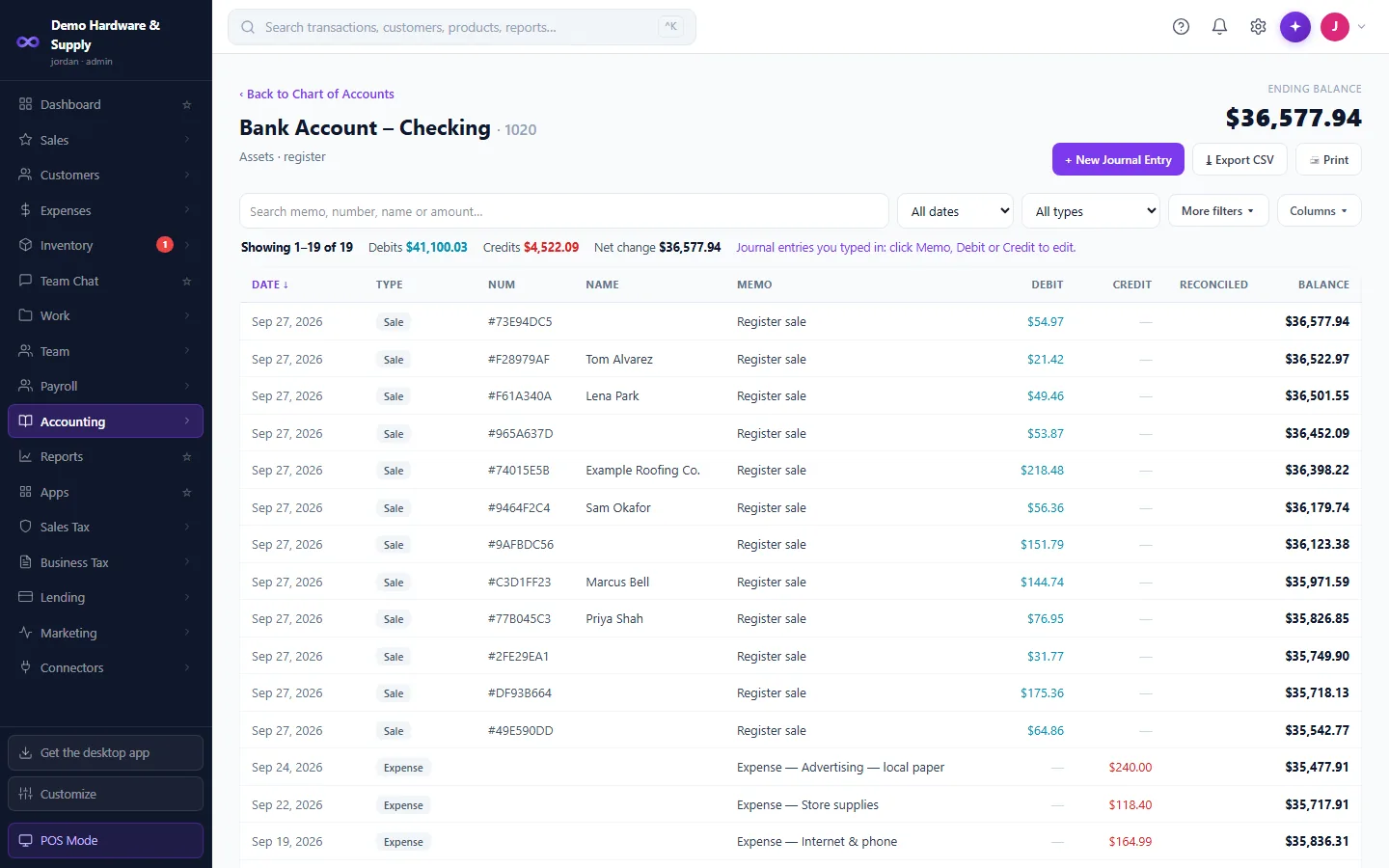
- Chart of Accounts register: every transaction, filters, a true running balance, CSV and print, and spreadsheet-style editing of manual journal entries.
- Journal entries must balance.
- Period lock: a void in a closed month posts a reversing entry instead of rewriting history.
- Undo void on every voidable document.
Bank
- Connect US bank feeds through Stripe Financial Connections, or import statements from any bank.
- Rules with suggestions, AI matching and automatic matching of card payouts.
- Reconcile with a report, undo and history.
- Optional Undeposited Funds.
Bills and checks
- Pay bills by printed check, on your own check stock, with drag-to-calibrate and a template per stock.
- Check numbering per bank account.
- A “Did it print?” prompt with Print again or Void #.
- Fix a check's amount; reuse a voided number.
Reports (about 45)
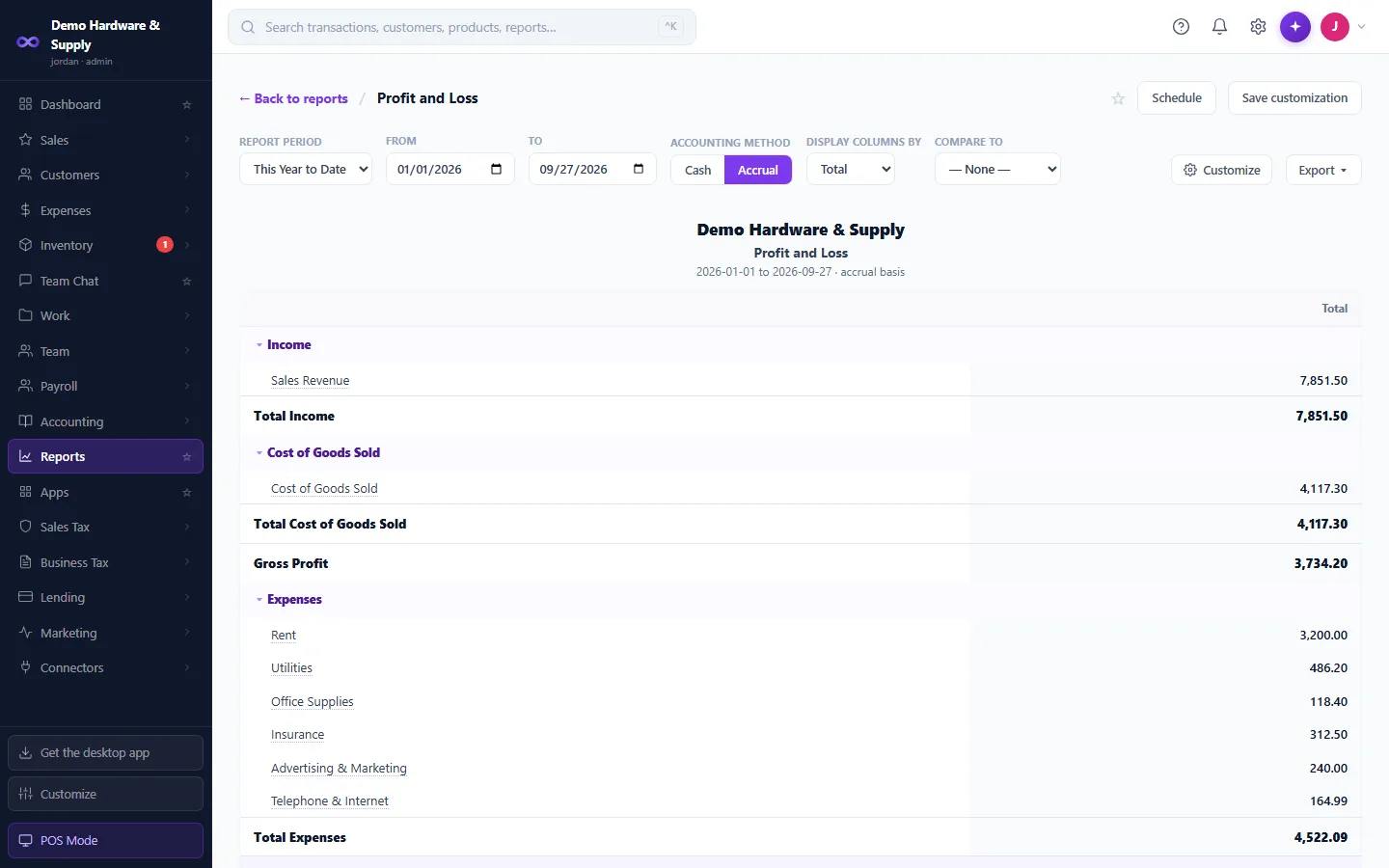
- P&L and P&L Detail, Balance Sheet, Cash Flows, Trial Balance and General Ledger. Budget vs Actuals on Business.
- A/R and A/P aging. Sales by item, category, customer and staff. Inventory Valuation.
- Sales Tax Summary and Tax Liability. Daily Sales and Daily Journal.
- P&L on a cash or accrual basis, and 1099 totals for your contractors.
- Export to CSV, and most reports to Excel or PDF. Scheduled email reports on Business.
Taxes
- US sales tax at rates you set.
- Marshall Islands Consumption Tax (12% from 1 January 2027): tax-inclusive prices, tax invoices with your TIN, credit notes, the CT return and import credits.
- It switches on by itself from 1 January 2027 once you turn on “Registered for consumption tax” in Settings → Tax. Add your TIN for tax invoices.
- Track quarterly estimated business-tax payments against their due dates.
Your accountant
- Invite your accountant with their own login and role.
Works with the rest of Mobius
Nothing to sync: the register, purchasing, payroll and rentals all write to this ledger directly. End of Day ties to the journal.
Good to know
- Prices and books are in US dollars only.
- Sales-tax rates are entered by you; there is no address-based tax lookup.
- Consumption tax means the Marshall Islands' 12% CT. Other countries' VAT or GST isn't supported yet.
- Live bank feeds are for US banks; everyone else imports statements.
Questions
Do I still need QuickBooks?
Many businesses won't. Mobius has the ledger, bank reconciliation, checks and financial statements. Your accountant can sign in, and most reports export to Excel.
Can I bring my QuickBooks history?
Yes. Mobius imports contacts, the chart of accounts and journals from QuickBooks Online exports.
Run the whole business from one place.
From $79/month. POS and accounting in one. 30-day free trial, no card needed.